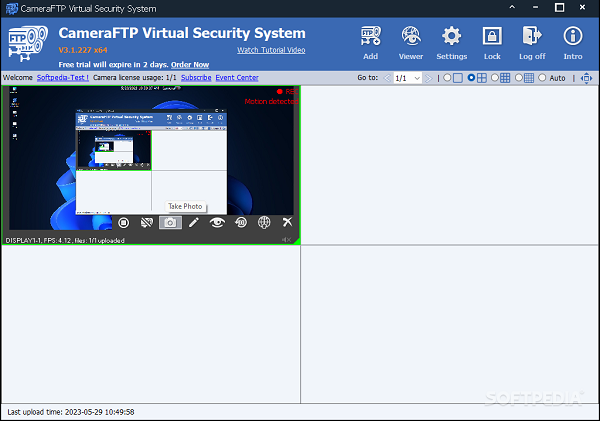
CameraFTP Virtual Security System 5.1 is software that enables you to transform a PC or laptop into a video surveillance / security-camera system (CCTV/DVR/NVR), utilizing both local recording and cloud storage.
CameraFTP Virtual Security System 5.1 Description
It’s a product of CameraFTP (a DriveHQ service) and works with webcams, IP cameras, DVRs, analog cameras (via capture cards), as well as screen recording. CameraFTP Virtual Security System Download is a powerful video surveillance software that can turn a computer or laptop into a CCTV or DVR security system.
Virtual Security System 5.1 is able to display live images on a monitor and simultaneously record them in the cloud. Users can view or replay the recorded images anytime and anywhere. VSS also provides powerful screen recording capabilities to monitor computer usage, record online classes and meetings, TV shows, and games.
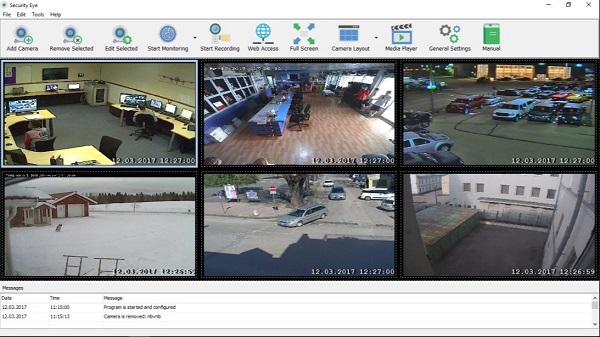
Features Of CameraFTP Virtual Security System 5.1
| Feature | What It Does |
|---|---|
| Multiple Camera Support | You can use multiple webcams, IP cameras, or DVRs. It supports different channels so you can monitor several cameras at once (home, office, etc.). |
| Local & Cloud Recording | Footage can be saved locally (on your PC/hard drive) and uploaded to CameraFTP’s cloud storage in real time. |
| Live View & Remote Playback | You can view live feeds and playback recordings from anywhere via browser or mobile apps. |
| Screen Recording / Computer Monitoring | Records screen activity (with audio), useful for monitoring employee/computer usage, or recording meetings, TV shows, etc. |
| Motion & Scheduled Recording | You can set up recording only when motion is detected, or schedule recording for certain times. |
| Support for Many Camera Types | Works with webcams, many IP cameras, analog cameras (via capture cards), and even smartphones or tablets used as cameras. ONVIF and RTSP supported. |
| Locking Interface / Protection | The software’s interface can be locked so that other users can’t stop recording or alter settings. |
| Publish / Share Cameras | You can share camera feeds with other users, publish them publicly, or embed them in web pages. |
System Requirements
- A Windows PC (Windows XP, 7, 8, 10, 11, or server editions).
- Enough RAM (minimum ~1 GB, though more is better for multiple high-resolution cameras).
- Enough disk space for local storage of video recordings.
- An internet connection is needed if uploading to the cloud or if remote viewing is needed.
Who Is It For / Use Cases
Typical good fits for VSS include:
- Home users who want to monitor house, children, pets using existing webcams or simple IP cameras.
- Small businesses/shops want low-cost surveillance without investing in expensive dedicated DVR/NVR hardware.
- Situations where offsite recording matters (e.g. proof, backup).
- Remote monitoring/viewing via phones or browsers.
- Those needing screen monitoring (e.g. to supervise kids or employees) in addition to camera surveillance.
Password for file: “123“