CopyQ 12.0 for Windows is an open-source advanced clipboard manager. It runs on Windows, macOS, and Linux. Its goal is to extend the basic clipboard (copy-paste) functionality by keeping a history of clipboard items, allowing you to edit, search, organize, and retrieve them easily.
CopyQ 12.0 Description
CopyQ is a competent clipboard manager that goes far beyond the basic copy/paste. If used well, it can significantly improve productivity. If you only occasionally copy something, its power might be more than you need, but it scales well for heavy usage.
Pros (What CopyQ Does Well)
- Powerful and flexible: Users who like fine control over clipboard behavior, scripting, etc., will find CopyQ very capable.
- Cross-platform: Works on all major desktop OSes (Windows, macOS, Linux).
- Open-source & actively maintained: It’s free, with community contributions, which means bugs tend to get fixed, and features evolve.
- Good for repetitive or heavy copy-paste work: If you do a lot of copying, e.g. code snippets, URLs, images, CopyQ lets you reuse, search, and not lose things.
- Scripting & automation: Very useful to automate tasks involving clipboard content (like transforming copied text automatically).
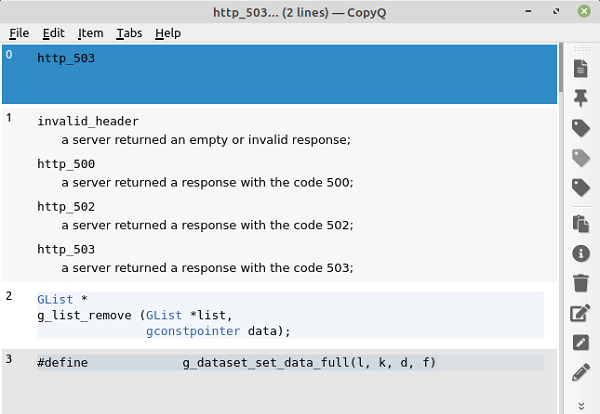
Features For CopyQ 12.0

| Feature | Description |
|---|---|
| Clipboard History | Automatically stores everything you copy (text, images, HTML, etc.), so you can retrieve past entries. |
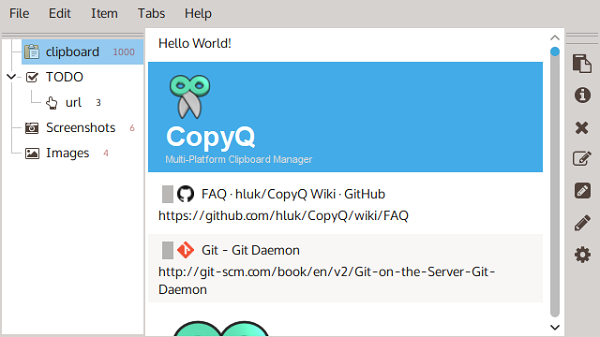
| Tabs / Multiple Histories | You can organize clipboard history into tabs/categories. Works well for separating different types of content or tasks. |
| Search & Filtering | You can quickly search through past clipboard items, filter by content/type, etc. Very useful when you have lots of items. |
| Edit / Tag / Note | Past items can be edited, tagged, and given notes. So, if you copied something with a mistake or want to mark something for later, you can. |
| Custom Commands & Shortcuts | You can define keyboard shortcuts or commands (scripts) to, for example, paste a certain item, filter, or handle certain clipboard events. |
| Support for Many Data Formats | Beyond plain text: images, HTML, rich text, and custom formats can be stored. |
| Scripting & CLI Interface | CopyQ supports scripts (in its own scripting/command language) and a command-line interface for automation. |
| Customizable Interface / Appearance | Themes, settings to configure how many items to keep, how history behaves, which windows/apps to ignore, etc. |
| Exclusions / Filters | Option to ignore clipboard items from certain windows or containing certain text, so you don’t clutter history with unwanted data. |
Password for file: “123“