Diffractor Software 126.2 is a Windows-based media organizer and viewer designed to help users manage large collections of photos, videos, and audio files. It was created by Zac Walker (initially under the name “ImageWalker”).
Diffractor Software 126.2 Description
According to the about page, the app is built natively in C++ using Direct3D for speed and performance. Its goal: give users fast indexing, quick search, good metadata support, duplicate detection, and a workflow for organizing media rather than just viewing it. It’s not just a fancy media viewer; it’s focused on efficiently managing and finding your media collection.
Diffractor is a strong tool for what it sets out to do: organizing and retrieving large media collections on Windows. If you feel frustrated by disorganized photos/videos, scattered memory cards, lost duplicates, and slow search, this tool can make a real difference. It bridges the gap between a simple viewer and a full digital asset management system. Diffractor Software 126 is a quick way to store and view your images and audio/video without the need for a cumbersome program to do it. Diffractor lets you colorize a photo, along with the ability to resize, rotate, crop, and adjust, all in one lightweight and compact program, not to mention indexing and searching using metadata.
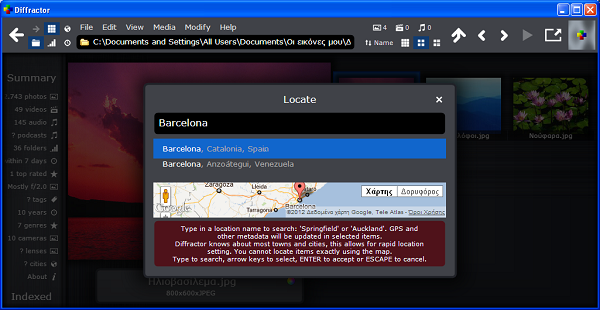
Features Of Diffractor Software 126.2
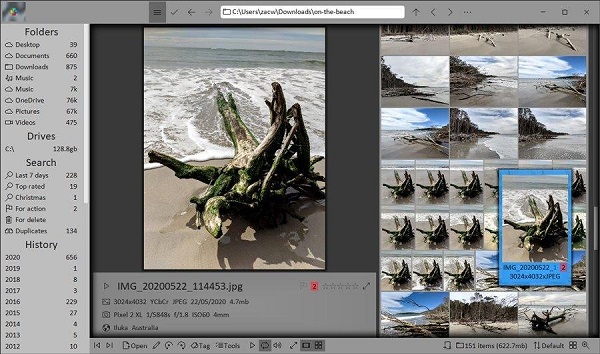
- Format & playback support: Handles many photo formats (including RAW), videos, audio files — view/play without needing extra codecs.
- Metadata & tagging support: Allows you to add/edit tags, ratings, descriptions, locations; supports metadata standards like EXIF, IPTC, XMP, ID3.
- Advanced search & filters: The search bar supports free-text search, metadata filtering (e.g., tags, dates, locations), and special keywords.
- Duplicate detection / “presence” indicators: It can show whether an item already exists in your collection, similar items, side-cars, etc. Helps avoid importing duplicates.
- Import & collection management workflow: You can import files from memory cards, cameras, old drives, structure them into a collection folder (e.g., Year/Month/Day), prune unwanted items, tag/describe.
- Sync / Backup support: It offers features to sync your collection to NAS or network drives so your organized collection can be mirrored.
- Performance-oriented design: Being written in native C++ and using hardware acceleration means faster operations on large collections.
- Free & open source/licensed: According to the EULA, it is free and licensed under the GNU Lesser General Public License (LGPL) 2.1 or later for the open-source parts.
System requirements:
It’s Windows only (Windows 7, 8, 10, 11 supported). macOS/Linux is not supported.
Who Is It Best Suited For?
- Photographers (amateur to semi-pro) who have large libraries of images and want to manage, organize, and retrieve them efficiently.
- Users who capture many videos (family events, travel, etc) and want a central collection to browse and search rather than multiple scattered folders.
- People who prefer having local control of their media (rather than relying solely on cloud indexing and storage).
- Anyone who needs to deduplicate, structure, tag, and search media rather than just view it once in a while.
Password For File ” 123 “