DoNotSpy11 Pro 1.3 is a Windows privacy-tweaking utility developed by pXc‑coding, designed to give users control over many of the diagnostic, telemetry, tracking, and AI features built into Windows 11 and Windows 10.
DoNotSpy11 Pro 1.3 Description
The “Pro” edition (as opposed to the free edition) adds extra functionality, typically profile saving/loading, tracking changes, and possibly multi-PC support. It is especially relevant given ongoing concerns around telemetry, AI-assistant integration (e.g., Windows Copilot), and data collection features in modern Windows. DoNotSpy11 Pro is a useful tool for those who want to take active control of their Windows environment, especially regarding telemetry and AI-related features.
Its ability to centralize many tweaks into one interface is compelling. However, as with any tool that modifies deep system settings, you should approach with caution, read what each tweak does, back up your system (or create a restore point), and proceed deliberately. If you manage multiple machines and value the profile saving/loading feature, the Pro edition may well be worth the modest cost.
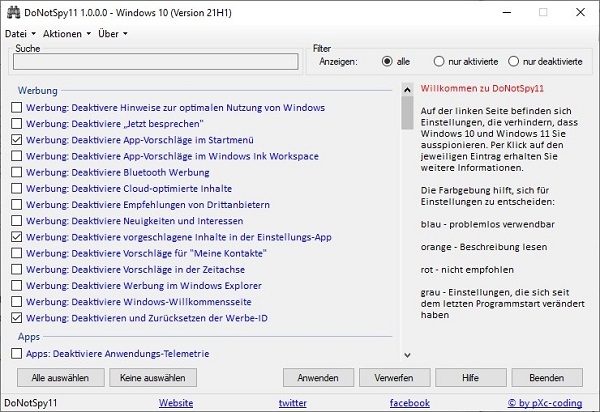
DoNotSpy11 offers all these settings in one app. With this app, you can easily disable features like sharing handwriting data, location, OneDrive, password display, and sending biometric information. You can disable automatic syncing with connected devices or block apps and Windows from accessing your webcam, microphone, calendar, and account information. So it’s time to have better privacy.
Features Of DoNotSpy11 Pro 1.3
Privacy / Telemetry / AI-Features
- Disable Windows telemetry (data collection, usage statistics) and limit diagnostic data.
- Disable Windows Copilot, disable the Copilot button in the taskbar, and other AI-related features.
- Disable access by apps to camera, microphone, location, call history, messaging, etc.
App & System Tweaks
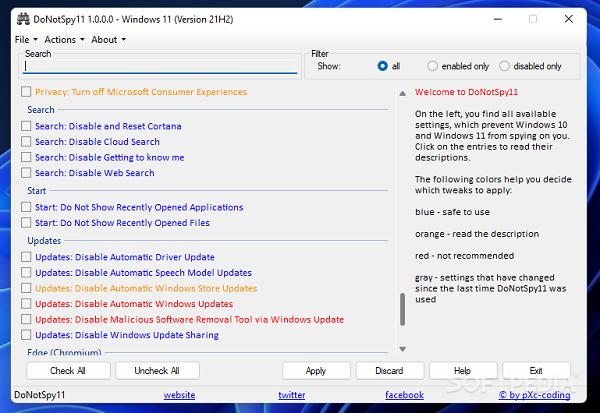
- Disable suggestions and advertising in Windows Explorer, Start Menu recommendations, “suggested apps,” etc.
- Tweak settings in Microsoft Edge browser: disable search suggestions, disable telemetry, disable AI writing assistance in Edge, disable sync, etc.
- Manage Windows Update behaviors, disable automatic driver updates, Windows Store updates, etc.
Additional Features (Pro Edition)
According to one source:
- Ability to save and load profiles of settings so you can apply the same configuration across multiple PCs.
- Show changed settings on each start (track what was modified) in the Pro version.
System requirements
.NET Framework 4.5 or higher
Password For File ” 123 “