Hasleo Backup Suite 5.5.2 Free Download is a Windows-based backup, restore, and cloning application made by Hasleo Software Inc.
Hasleo Backup Suite 5.5.2 Description
According to the vendor, version 5.x supports full system/disk/partition/image backup, file/folder backup, disk/partition cloning, mounting backup images, and more. Its focus is on providing a comprehensive solution for protecting a Windows system (both OS and data), with both free and paid variants (though many of the features are available in the “Free” edition).
Hasleo Backup Suite 5 stands out as a very capable and flexible backup tool for Windows that punches above its weight, given its price point (free/freemium). If you’re looking for a “one tool covers most of my backup/imaging needs” solution for a PC or small office, it is a strong contender.
In addition, its cloning feature allows users to move Windows to another disk or easily upgrade their disks to SSD or larger capacity disks. Hasleo Backup Suite provides a bootable ISO file to create a bootable USB. Hasleo Backup Suite can be used for both personal computers and Windows servers.
Features For Hasleo Backup Suite 5.5.2
- System / Disk / Partition / File Backups: You can back up the Windows OS (including boot/system partitions), entire disks, specific partitions, or selected folders/files.
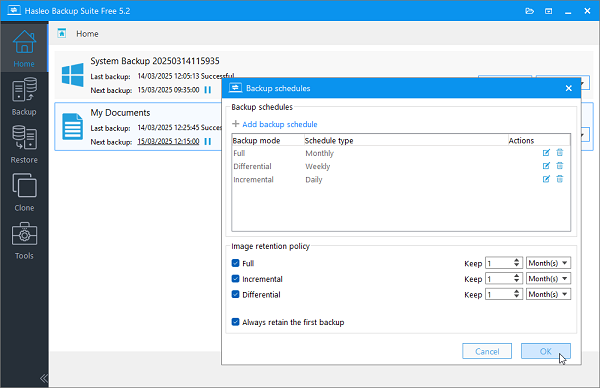
- Full, Incremental & Differential Backup Modes: Supports these modes so you can choose full backups, or smaller backups capturing changes to save space/time.
- Clone Operations: Disk clone, partition clone, system clone (migrate Windows to SSD/another drive) are supported.
- Restore & Mount Image Support: You can restore from backup images and mount backup images as a virtual drive to browse/retrieve specific files.
- Universal Restore / Hardware Independent Restore: Helps restore a Windows image to dissimilar hardware.
- Compression & Encryption: Allows compressing backups and encrypting (e.g., AES) them for security.
- Scheduling & Retention Policies: You can schedule backups, set retention (image merge/delete) policies
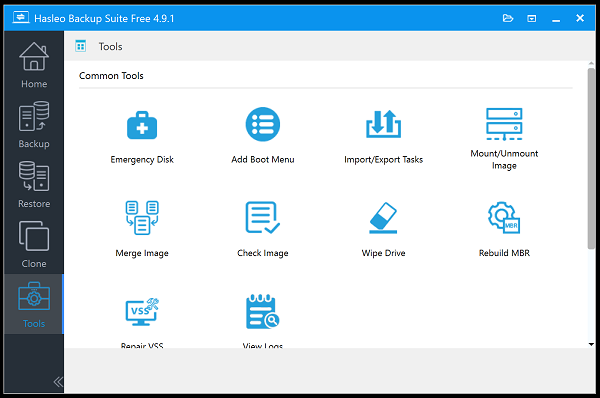
- Emergency Boot Media: Create a bootable rescue disk/USB so you can restore a system even if Windows won’t boot.
- Device & OS Support: Supports Windows Vista/Server 2008 or later (32/64 bit). Supports a variety of storage media (HDD, SSD, USB, dynamic disks).
System requirements:
- Operating Systems: Windows Vista/Server 2008 or later (32-bit and 64-bit editions).
- CPU: Intel® Pentium® compatible processors (32-bit or 64-bit) or ARM64 processors (1GHz or above).
- RAM: 1 GB or more (2 GB recommended).
- Disk Space: 500 MB and above free space.
- Supported File Systems: FAT12, FAT16, FAT32, NTFS, and others (in sector-by-sector mode).
Installation Guide and Tips:
The software is active and does not require cracking.
Password For File: “123 “