iDownerGo 10.9 is a comprehensive and practical multimedia download and conversion tool that allows users to easily and quickly download their favorite videos and music from multiple websites.
iDownerGo 10.9 Description
With extensive features, including support for high-quality video up to 8K and the ability to download live streams, this software provides users with a smooth and uninterrupted experience. It also makes it easy to manage downloaded files with features such as format conversion and ID3 tag retention.
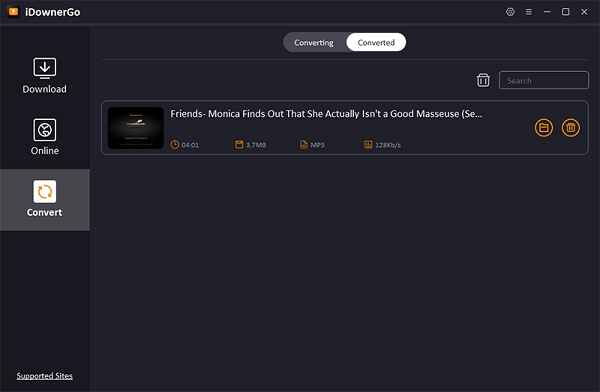
iDownerGo is a desktop application (available for Windows and also versions for Mac) that lets users download and convert video and audio content from many online platforms. Its design goal is to provide a one-stop tool: you can fetch media from websites, convert formats, manage downloads, and save content offline.
Features of iDownerGo 10.9
| Feature | Description |
|---|---|
| High-quality downloads | Supports HD, 4K, and even 8K video downloads (when source permits) without quality loss. |
| Audio extraction/music download | You can download just the audio from videos, save songs, playlists, albums, etc.; audio bitrates up to 320 kbps. |
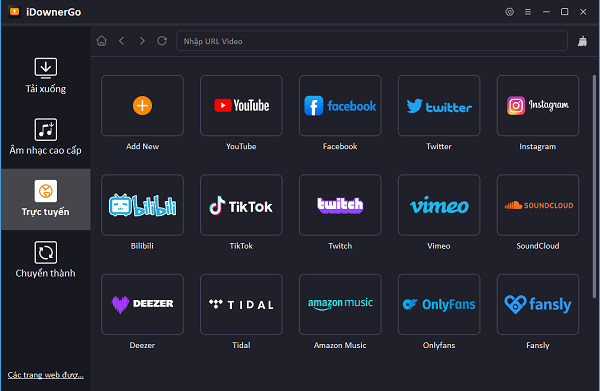
| Wide site support | Works with many platforms, including YouTube, Facebook, Instagram, Vimeo, TikTok, and more. |
| Playlist/bulk download | Capability to download entire playlists, multiple videos at once. |
| Built-in browser | Has an internal browser so you can browse and trigger downloads directly within the app. |
| Private / password-protected mode | You can hide/protect downloaded files behind a password so they’re not easily visible. |
| Format conversion | Converts videos into multiple formats: MP4, MOV, AVI, MKV, etc. |
| Subtitles & metadata retention | Downloads subtitles/lyrics automatically where available, and preserves metadata like ID3 tags (title, artist, album art). |
System requirements:
Operating system: Windows 8, Windows 10, or Windows 11
Password For File ” 123 “