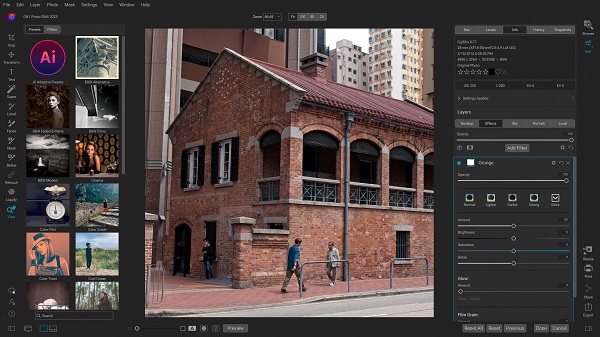
ON1 Photo RAW MAX 2026 is the premium edition of ON1’s all-in-one photo editing suite. In essence, you get the core full-featured RAW editor (ON1 Photo RAW 2026) plus full plugin capabilities for external editors like Photoshop, Lightroom Classic, Capture One, Affinity Photo, and more.
ON1 Photo RAW MAX 2026 Description
The “MAX” version is targeted at photographers and professionals who want both a standalone powerhouse and seamless integration as plugins. According to ON1’s press release, the 2026 version emphasizes next-generation AI tools (for masking, resizing, and effects), performance enhancements, and workflow improvements.
In other words: If you’re serious about photo editing, want advanced automation, integrated plugin workflows, and future-proof flexibility, MAX 2026 is built for you.
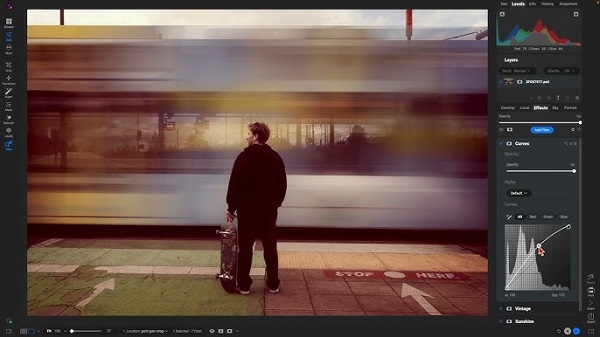
ON1 Photo RAW is considered one of the best among raw image editing software, because it provides almost all the necessary features for editing this category of images. Unlike other similar software that requires you to refer to different programs for different tasks, ON1 Photo RAW has gathered all the features in a single environment. ON1 Photo RAW MAX 2026 is available to you both independently and as a plugin for Photoshop and Lightroom. ON1 has provided more than hundreds of different filters, effects, and actions for editing images. Using this plugin will save a lot of money on editing images.
Features For ON1 Photo RAW MAX 2026

- Masking Overhaul: Major improvement to selection and masking. One-click subject & background masks; new mask layers to stack/subtract masks; improved AI edge quality for tricky details (hair, branches, etc.).
- Creative Filters & Effects: New filters including Depth Lighting (foreground/background lighting), Split Field (simulated split-diopter effect), Double Exposure, and Motion Filter. Also, new UI features (favorites, search filters).
- Resize AI 2026 Built-In: Super-resolution AI technology (formerly separate) is now fully integrated. Two new models: Highest Quality (for maximum detail recovery) and Standard (for speed/batch).
- Legacy & Specialized Mode Support: Negative Mode (for film negative scans), native Grayscale support (editing B&W/legacy camera images) — nice for film/scanned workflows.
- Improved Workflow & UI: Customizable workspaces (dock/float panels), improved perspective correction tools (separate horizontal/vertical keystoning), expanded camera support (latest model.
System requirements:
- Windows 7, Windows 8, or Windows 10 (current maintenance releases, 64-bit only).
- Intel Core 2 Duo, Xeon, or better.
- 1.5 GB for installation.
- 4 GB (8 GB when used as a Photoshop plug-in).
- OpenGL 3.3-compatible video card with 256 MB video RAM, 1280×720 resolution.
Password for file: “123“