PiXYZ Studio 2025.4 is the name of an engineering and specialized software suite. This software suite is considered a leading tool in the field of automatic preparation, optimization, and review of large CAD data.
PiXYZ Studio 2025.4 Description
You will experience a new experience using this software pack. The CAD data you need is available in this software suite. Using this tool, you will be able to implement your visualization in the best possible way and review its performance. The advantage and superiority of working with the PiXYZ Studio 2025 suite is saving time. You will progress your work faster than ever using the solutions in this suite.
What’s New / Changes in the 2025 Version
The release 2025.1 introduces various shifts, improvements, and some removals.
- Major changes/additions:
- The 2025 edition is built atop the latest PiXYZ SDK core, meaning it inherits new import/export formats, optimization algorithms, and bug fixes from the underlying engine.
- Focus is now more strongly on interactive data preparation. Some automation capabilities have been cut or limited in the scripting API.
- The IO module (import/export) is removed from the Python API; that means you can no longer programmatically import or export models using scripting in this version.
- The Plugin Editor and certain legacy features like “Measurement Tool” and “Advanced Search” have been retired.
- Python scripting still exists, but with limited scope (mostly internal automations, not full batch I/O).
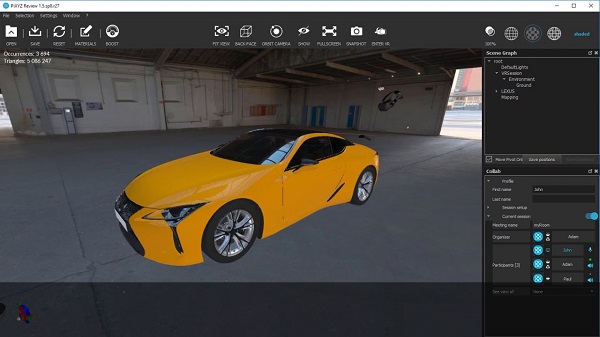
What is PiXYZ / Asset Transformer Studio
-
PiXYZ is a toolset/platform for 3D data / CAD data preparation and optimization, particularly aimed at converting complex CAD/engineering models into meshes suitable for real-time visualizations (games, AR/VR, architectural visualization, etc.).
-
The desktop application formerly called PiXYZ Studio is now branded (or referenced) as Asset Transformer Studio in Unity’s product line (Unity Asset Transformer).
-
It is designed as an interactive data preparation tool — not necessarily for full batch automation (which is done by SDK / special tooling).
Features Of PiXYZ Studio 2025.4
| Feature | Description / Use |
|---|---|
| Import / Format Support | Supports a wide variety of CAD and 3D formats (STEP, IGES, SolidWorks, CATIA, NX, Revit, etc.), mesh formats, and point clouds. |
| Preservation of CAD Metadata / Hierarchy | Maintains product structure/assembly tree, metadata, and original CAD surfaces (B-Rep / NURBS) where possible. |
| Tessellation / Mesh Generation | Converts CAD surfaces into polygon meshes in a controlled manner (controlling quality, balance, and preventing over-polygonization). |
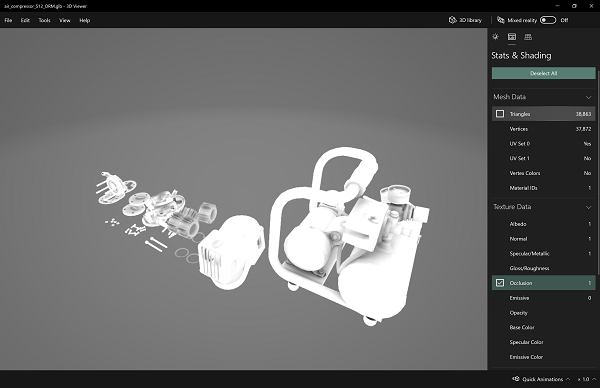
| Optimization Algorithms | Tools like decimation, mesh healing, hidden removal (removing occluded geometry), cleanup, face patch merging, topology correction, etc. |
| Undo / History / Re-tessellate | You can fine-tune parts of the model, re-tessellate them, and revert as needed. |
| Interactive UI / Viewer | A robust interface for visualizing and manipulating large/complex models, with a scene tree/product hierarchy view. |
| Python Scripting | Internal scripting is supported (for tasks not involving I/O), letting users extend capabilities or automate parts of the workflow. |
| Export / Output | Exports optimized meshes to formats like FBX, glTF, USD, etc., ready for staging / real-time engines. As of 2025, exporting via scripting is disabled, but export is still available in interactive mode |
Limitations / Things to Be Aware Of
- The 2025 Python API cannot perform import/export operations anymore (IO module removed). So, full automation of data pipeline steps is restricted.
- Some legacy functionalities were removed (measurement tools, advanced search, plugin editor,) which may affect existing workflows or scripts.
- For large batches or fully automated processing across many files, you’ll need to lean on the PiXYZ SDK / auxiliary tools rather than full reliance on the Studio app.
- Python scripting is somewhat limited now in scope (interactive extension rather than full pipeline control).
- As it evolves, users report that some features are being “nerfed” (reduced) in 2025.
Password for file: “123“