Spyder Python 6.0 is a top choice if your work involves Python and you spend a significant amount of time performing data analysis, scientific computation, or interactive exploration.
Spyder 6.0 Description
It gives you much of what you’d get from both a notebook environment and a traditional IDE, all in one place. For those use cases, it tends to greatly improve productivity.
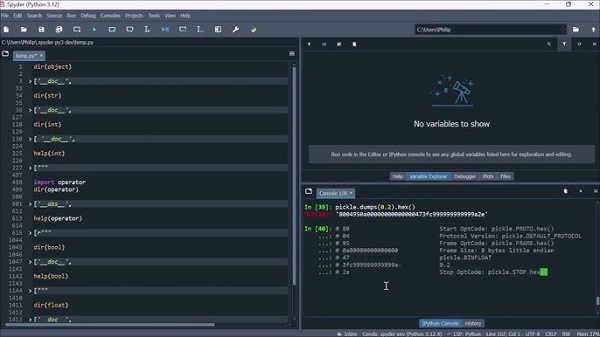
Spyder Python 6 is a powerful scientific environment for the Python programming language, designed specifically for scientists, engineers, and data analysts. It offers a unique combination of advanced code editing, analysis, debugging, and profiling capabilities with features such as data exploration, interactive execution, deep inspection, and data visualization.
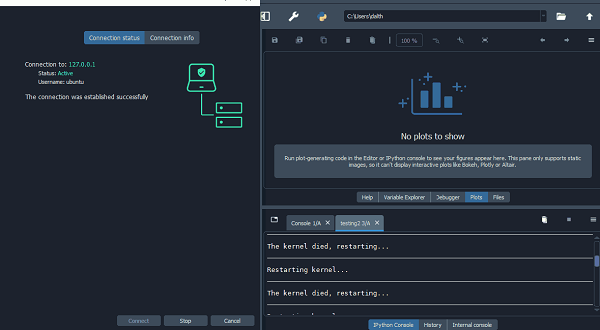
Spyder Python, which stands for Scientific PYthon Development Environment, is an open-source development environment designed specifically for scientific computing and data analysis with Python. Built on popular libraries such as NumPy, SciPy, Matplotlib, and IPython, this IDE is an ideal choice for researchers and engineers.
Features Of Spyder Python 6.0
- Interactive Console: Includes a built-in IPython console to run Python code interactively and view results in real time.
- Advanced Code Editor: Features such as syntax highlighting, code auto-completion, and error checking to increase productivity.
- Variable Manager: An interactive tool to display variables, their values, and data frames to manage and visualize data.
- Powerful Debugging: Supports breakpoints, inspecting variable values, and step-by-step code execution to find and fix problems.
- Built-in Documentation: Allows quick access to Python documentation and displays function descriptions while coding.
- Conda Integration: Seamlessly manage Python environments and packages using Conda.
- Plugin Support: Extendable through plugins to customize the development environment based on your needs.
- Version Control: Integration with version control systems such as Git for better collaboration on projects.
Password for file: “123“