Syncovery Premium 11.10 is a high-performance file synchronization, backup, and migration utility for Windows (and other platforms) aimed at power users, professionals, and business scenarios.
Syncovery Premium 11.10 Description
Version 11 is their latest major release (in 2024), which introduces new features, interface refinements, and enhanced cloud/remote functionality. Syncovery Premium 11 is a top-tier synchronization/backup solution offering a huge breadth of features, solid performance, and professional-grade flexibility.
If you’ve got complex backup/sync needs (cloud & local, large datasets, versioning, migrations), it’s an excellent choice. If your needs are modest, you might consider whether a simpler, cheaper tool would meet them. But as a “one tool does many tasks” backup/sync engine, it stands out.
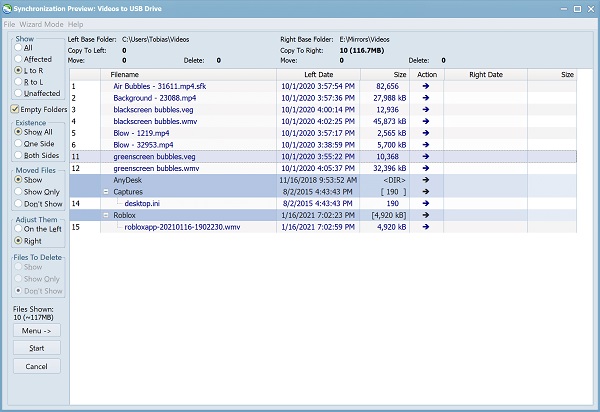
Syncovery Premium download has a simple, neat user interface, and all steps are displayed to the user in the simplest possible way. You only need to select the appropriate options based on your conditions, according to the explanations provided in the wizards, and finally, the program will start its work.
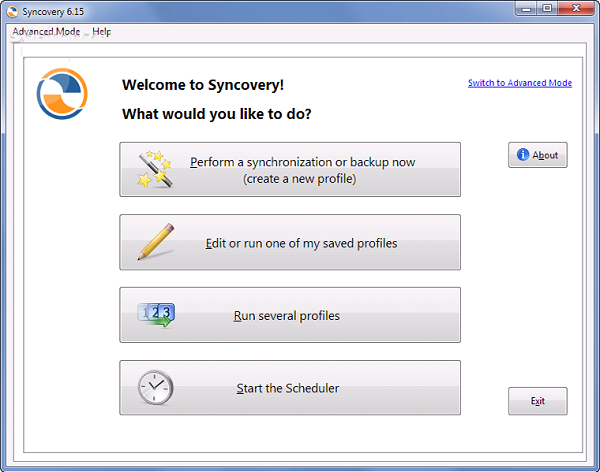
In Syncovery 11, you can define different profiles for various backup and sync methods so that you do not repeat the settings and configuration every time, and the program will start its work by just selecting the predefined profile.
Features Of Syncovery Premium 11.10
- Flexible Sync & Backup Modes: Includes one-way sync, two-way sync, “Exact Mirror” mode (destination matches source, deletions included), SmartTracking (detecting moved/renamed files).
- Multi-Platform / Multi-Protocol Support: Works on Windows (and mentions for Mac/Linux/NAS), supports local drives, network shares, FTP/SFTP, WebDAV, and many cloud storage providers (Google Drive, Amazon S3, Azure, etc).
- Cloud-to-Cloud Copying: In version 11, it supports copying between cloud services without needing local temporary files.
- File Integrity & Versioning: New “File Integrity Scanner” for verifying file health. Versioning support to keep older versions of files.
- Block-level Copying / Differential Updates: For large files, changed blocks only can be synced to save bandwidth/time.
- Scheduler / Unattended Operation / Service Mode: Jobs (called “profiles”) can be scheduled, run in the background, run as a Windows service, etc.
- High Performance Scanning / Large File Handling: Multi-threaded folder scanning, large datasets supported.
- Advanced Configuration / Profiles: You can create multiple profiles (jobs), each with source/destination, filters, rules, masks, versioning, etc.
- Encryption / Compression / Logging / Notifications: Support for encrypting backups, zipping/compressing, email notifications, and detailed logs.
System Requirements:
- All versions of Windows since Windows XP and Server 2003 are fully supported, including Windows 10 and Server 2012, and all other versions and editions of Windows that have a graphical user interface.
- Syncovery is available in 32-bit and 64-bit editions.
- The 64-bit editions require at least Windows Vista. For older 64-bit Windows versions, please use the 32-bit edition of Syncovery.
Installation Guide and Tips:
Use the serial number in the text file to register the software when the internet connection is disconnected.
Password for file: “123“