SysNucleus WebHarvy 7.8 is a visual web scraping tool developed by SysNucleus since around 2011. It allows users to extract data from websites without needing to write code.
SysNucleus WebHarvy 7.8 Description
Instead of programming, you point and click in a built-in browser to select the data you want, and WebHarvy handles pagination, navigation, form submission, etc. SysNucleus WebHarvy Free Download is a powerful and user-friendly tool for those who need to extract data from websites but don’t want to code.
Its visual interface, support for automated paging, categories, keyword searches, and proxy usage make it suitable for many regular web scraping tasks. But it’s not perfect for very dynamic or heavily protected sites, and there are legal/ethical boundaries you need to respect.
What is this used for?
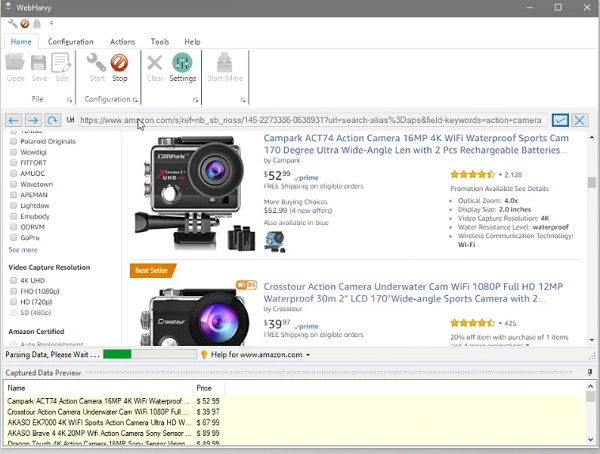
- Extracting product listings from eCommerce sites (prices, names, images) for market research.
- Collecting real estate property data (address, price, features) from listing websites.
- Gathering business directories or leads (contact info, emails, URLs).
- Monitoring data (like stock prices, job postings) by scraping search results with keywords regularly.
- Academic or research data collection when sources are public web pages.
Features Of SysNucleus WebHarvy 7.8
| Feature | Description |
|---|---|
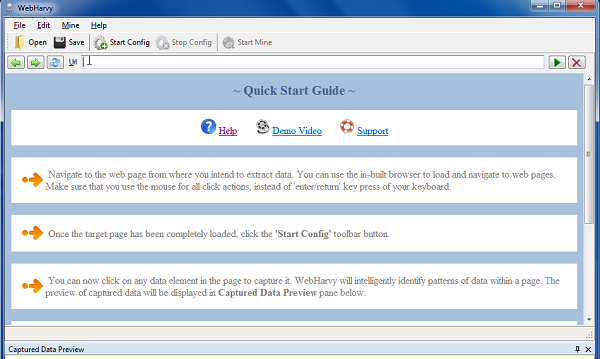
| Point-and-click interface | You load the target web page inside WebHarvy’s browser, click on the elements (text, images, links, etc.) you want to extract, and WebHarvy creates the scraping pattern automatically. |
| Pattern detection | If data values repeat (e.g. list of products, table entries), WebHarvy often detects that pattern automatically and extracts all matching items without needing you to pick each one individually. |
| Pagination / Multi-page scraping | Supports scraping data across multiple pages (via “next page” links, “load more” buttons, or infinite scroll). |
| Category & keyword-based scraping | You can input keywords or categories to search or navigate, and then extract data based on those. For example, search for a list of keywords and scrape all results. |
| JavaScript runtime support | In cases where pages use JavaScript to load content, you can run custom JavaScript or interact with page elements (clicks, dropdowns, etc.) to load data. |
| Save to file or database | Export scraped data to CSV, XML, JSON, TSV, Excel, or directly to SQL databases like MySQL, SQL Server, Oracle, etc. |
| Image scraping | Can download images or extract image URLs from product detail pages, etc. |
| Proxy / VPN support | To avoid being blocked, WebHarvy supports the use of proxy servers or VPNs (single or rotating proxies). |
| Scheduler | It includes scheduling tasks so you can run scraping sessions at set intervals. |
System Requirements
To use VSS, generally you need:
- A Windows PC (Windows XP, 7, 8, 10, 11, or server editions).
- Enough RAM (minimum ~1 GB, though more is better for multiple high-resolution cameras).
- Enough disk space for local storage of video recordings.
- An internet connection is needed if uploading to the cloud, or remote viewing is needed.
Password for file: “123“