AnkhTech Windows Boot 3.7 is a specialized Windows-based boot solution developed by AnkhTech that provides advanced system recovery, maintenance, and deployment capabilities.
About AnkhTech Windows Boot 3.7
It is typically distributed as a bootable environment that can run independently from the installed operating system, allowing users and IT professionals to troubleshoot, repair, and manage Windows systems even when they fail to start normally.
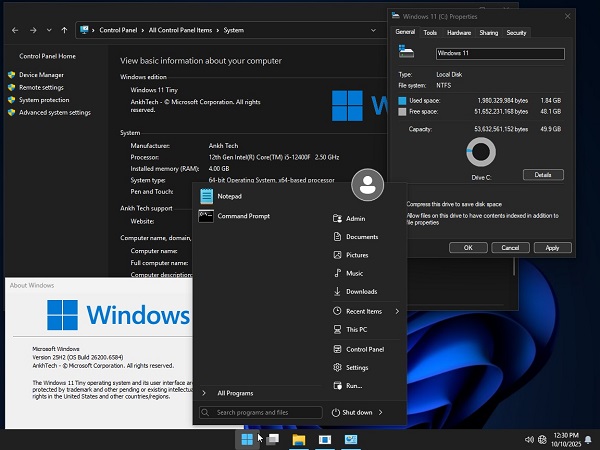
Built on a Windows Preinstallation Environment (WinPE) foundation, AnkhTech Windows Boot offers a lightweight yet powerful interface that resembles the familiar Windows desktop. This makes it accessible to both experienced technicians and general users who need essential recovery tools without navigating complex command-line environments. The boot environment can be deployed via USB drive, DVD, or network boot, making it flexible for various technical scenarios.

One of its primary strengths is its system recovery and repair capabilities. AnkhTech Windows Boot typically includes tools for diagnosing startup issues, repairing corrupted system files, rebuilding boot records, and restoring system images. It can also provide access to disk management utilities that allow users to partition, format, clone, or resize storage drives. These features are especially valuable when dealing with damaged installations, malware infections, or hardware failures.
In addition to repair capabilities, AnkhTech Windows Boot often includes data backup and recovery tools. Users can access files from unbootable systems and transfer important data to external drives or network locations. This ensures critical information can be preserved before reinstalling or repairing the operating system. Advanced versions may also incorporate antivirus scanning, password reset tools, and hardware diagnostic applications.
Why AnkhTech Windows Boot 3.7?
System Repair & Recovery
- Automatic startup repair tools
- Bootloader repair (MBR, GPT, BCD rebuild)
- System file repair and recovery
- Windows restore point access
- System image restoration
Disk & Partition Management
- Create, delete, format, and resize partitions
- Disk cloning and disk imaging
- Convert between MBR and GPT
- Bad sector checking and repair tools
- Secure disk wipe options
Data Backup & Recovery
- File recovery from damaged or formatted drives
- Backup to external USB or network storage
- Data extraction from unbootable systems
- Support for NTFS, FAT32, exFAT file systems
Windows Deployment & Installation
- Install Windows from ISO or WIM images
- OS deployment across multiple systems
- Driver injection support
- System preparation and configuration tools
Security Tools
- Windows password reset utility
- Offline antivirus scanning
- Malware detection and removal
- File encryption and decryption support
Networking Support
- Built-in network drivers
- LAN and Wi-Fi connectivity
- Remote desktop support
- Network file transfer capability
Password for file: “123“