Artcut 2009 Software Free Download
Artcut 2009: Complete Guide, Features, and Installation Tips

What is Artcut 2009?
Artcut 2009 is a vinyl cutting software widely used with plotters and cutting machines. It allows users to design, edit, and cut graphics for signs, stickers, decals, and other vinyl-based projects. Even though newer software exists, many people still search for Artcut 2009 download, installation, and user guide because it is lightweight, easy to use, and works well with older cutting plotters.
Key Features of Artcut 2009
-
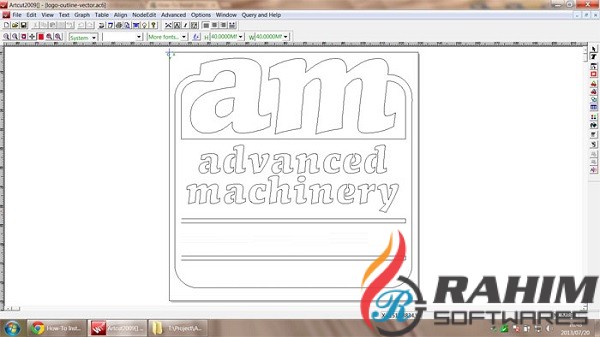
Vector Design Tools – Supports text, shapes, and curve editing.
-
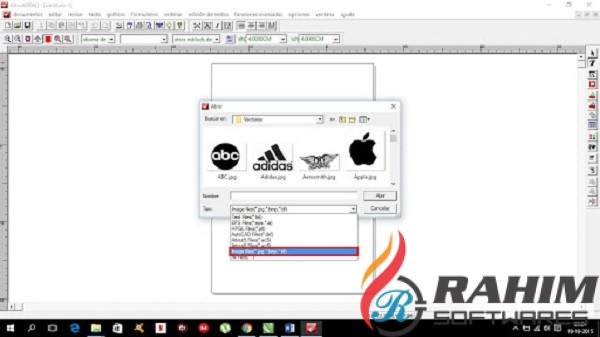
Import Options – Compatible with file formats like EPS, AI, PLT, and DXF.
-
Text Customization – Includes fonts, spacing, and curve-fitting for lettering.
-
Cutting Support – Works with many Chinese and international vinyl cutters.
-
Layer Management – Organize designs for precise cutting.
-
Multi-Language Interface – Includes English and other language packs.
Why People Still Use Artcut 2009
-
Simple Interface: Easy for beginners compared to complex design software.
-
Low Resource Usage: Runs smoothly on older Windows systems like XP, Vista, and Windows 7.
-
Affordable: Often bundled with low-cost vinyl cutters.
-
Reliable for Basic Jobs: Perfect for small shops making stickers or signage.
Artcut 2009 System Requirements
-
Operating System: Windows XP, Vista, or Windows 7 (32-bit recommended).
-
RAM: At least 1 GB.
-
Hard Disk Space: 500 MB free space.
-
Interface: USB/Serial port depending on the cutting machine.
How to Install Artcut 2009 (Step-by-Step)
-
Insert the Artcut 2009 CD/DVD or download the installer from a trusted source.
-
Run the
setup.exefile and follow the installation wizard. -
Choose the language and installation folder.
-
Enter the serial key if prompted.
-
Restart your computer after installation.
-
Connect your cutting plotter via USB or COM port.
-
Configure the plotter settings inside Artcut 2009.
Common Issues and Solutions
-
“No Device Found” Error – Check your USB driver and reinstall.
-
Fonts Missing – Install fonts manually into the Windows Fonts folder.
-
Compatibility Issues on Windows 10/11 – Run the program in compatibility mode for Windows XP or 7.
-
Installation Key Error – Make sure you’re using the correct version and matching serial key.
Alternatives to Artcut 2009
While Artcut 2009 is reliable, you may consider newer vinyl cutting software:
-
CorelDRAW (with plugins for plotters)
-
SignCut Pro
-
FlexiSign
-
Sure Cuts A Lot (SCAL)
These modern tools offer better compatibility with new operating systems and advanced features.
You can also Check Artcut 2006 Free Download.
Final Thoughts
Artcut 2009 remains a popular vinyl cutting software among sign makers and small businesses. Its simplicity and lightweight performance make it a good choice for beginners, especially if you’re using older cutting machines. However, for advanced features and modern compatibility, exploring alternatives may be worthwhile.
👉 Whether you’re installing it for the first time or troubleshooting, this guide should help you get the most out of Artcut 2009.
File information
- Name: Artcut_2009_Software.rar
- File Size: 358 MB
- After Extract: 444 MB
- Publisher: WENTAI Technology Corporation
- File Type: Rar File
- Update Date: Feb 25, 2020
- Languages: English
Download Artcut 2009Download USB Driver
Drivers For Artcut 2009
Download USB Driver for Mini LaserDownload Rabbit USB Driver for Cutting Plotter
Download LTUSDRV SETUP FOR MPC CONTROLLERDownload USB Dongle Driver For Laser Engraving Machine
How to Install Artcut 2009
Password For File: 123