Clean Media Player 2026.10 is a software application designed primarily for viewing movies, shows, and other video content in a more “family-friendly/clean” way.
Clean Media Player 2026.10 Description
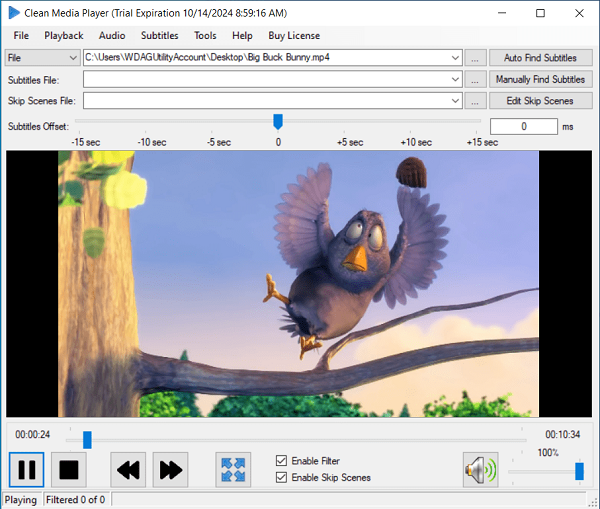
It provides tools to mute or remove profanity, skip inappropriate scenes, handle subtitles, and generally filter content so viewers don’t encounter offensive language, explicit parts, or unwanted segments. The program has a simple design that makes it easy to add video files. It also offers convenient playback controls and useful features for applying filters and deleting scenes. Even though it is outside its main scope, the software does have controls for adjusting the Subtitle Offset, which can be adjusted with a slider or by manually entering a value.
Advantages
- Helps make video content safer / more appropriate for children or sensitive viewers by removing profanity or explicit content.
- Generates cleaned videos for offline/private viewing, so you don’t repeatedly filter on each viewing.
- Customizable filters allow you to choose exactly which words or phrases to filter.
- Good support for subtitles, with the ability to synchronize, edit, and control display settings, etc.
- No recurring subscription; just a one-time purchase after the trial.
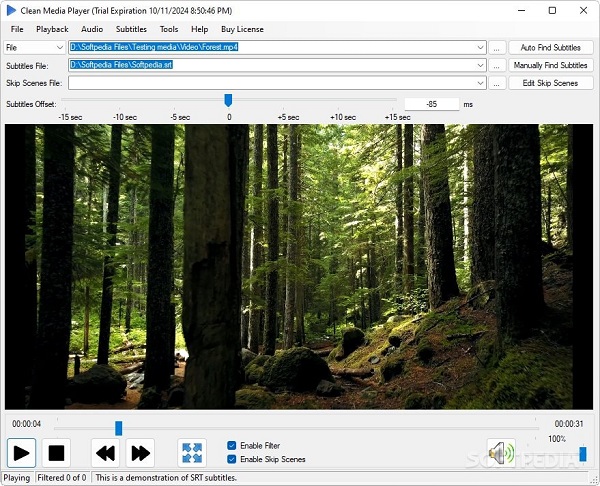
Features Of Clean Media Player 2026.10
| Feature | Description |
|---|---|
| Profanity Filter | You can define words/phrases to filter out. Audio gets muted for those parts, and subtitles are either replaced or edited. There are settings to control how much earlier to mute before a bad word and how long after to unmute. |
| Skip Scenes | Allows you to mark time ranges (start & end) to skip altogether or blur/omit scenes. Useful for removing violence, sexual content, etc. |
| Subtitle Handling & Editing | You can download subtitles (from, e.g., OpenSubtitles), synchronize them with the video, edit them, replace offensive texts, or choose whether subtitles show only when audio is muted. |
| Generate Clean Video Files | Not just real-time playback: you can produce an output video file that has the filtered content already applied (muted, skip scenes, cleaned subtitles) so that it’s ready to play elsewhere or share privately. |
| Streaming & Local Media Support | It supports streaming from personal media servers (DLNA), playing files, DVDs, Blu-ray content, etc. |
| Subtitles Search / Download | Built-in search for subtitles, so you can find matching subtitles and integrate with the filtering automatically. |
System requirements:
- Operating System: Windows 7, 8, 10, or 11.
- DirectX: DirectX 8.0 Runtime or higher.
- Decoders: Appropriate video and audio decoders (DirectShow, VFW, or DMO) are needed for the preview feature.
- Windows Media Player: Windows Media Player 12 or higher is also required.
Password for file: “123“