EaseUS Fixo 4.0 is an all-in-one file repair utility developed by EaseUS, designed to repair corrupted video files, photographs, image files, and office/document files (such as Word, Excel, PowerPoint, and PDF).
EaseUS Fixo 4.0 Description
According to the vendor, it supports both Windows and macOS platforms. The tagline: “Repair Your Corrupted Videos, Photos, and Documents in 3 Steps” — Upload, Repair, Preview/Save. EaseUS Fixo is a versatile file repair tool that allows users to easily repair all kinds of corrupted or inaccessible files.
EaseUS Fixo 4.0 is very useful in situations where files are damaged due to power surges, system crashes, update errors, or improper removal. Using this software, users can restore videos, photos, and Office documents such as Word, Excel, PDF, and PowerPoint to their original state. Designed for beginners, the tool makes the repair process very easy with an intuitive interface. In addition, the software is capable of repairing files in batches and also previewing the repaired files before saving them.
Features Of EaseUS Fixo 4.0
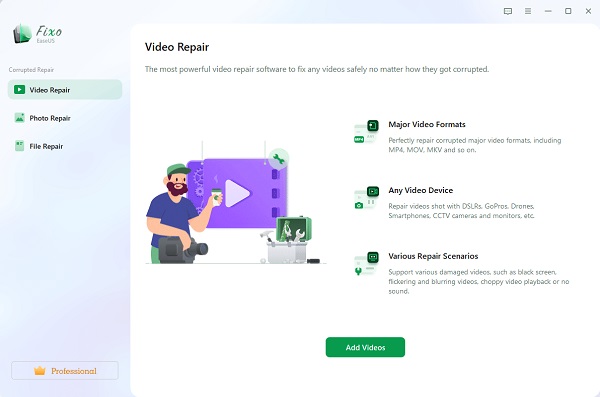
- Video Repair: Supports many video formats (MOV, MP4, M2TS, MKV, MTS, 3GP, etc.) and repairs videos that become unplayable, have black frames, sync issues, or were corrupted by power failures, system crashes, file transfers, etc.
- Photo / Image Repair: Can repair corrupted or unreadable image files (JPEG, PNG, TIFF, etc.), photos that won’t open, are pixelated, blank, or have other errors.
- Document / File Repair: Repairs corrupted office documents: Word (.doc/.docx), Excel (.xls/.xlsx), PowerPoint (.pptx), PDF, etc. Files that open with unreadable characters or fail to open can be repaired.
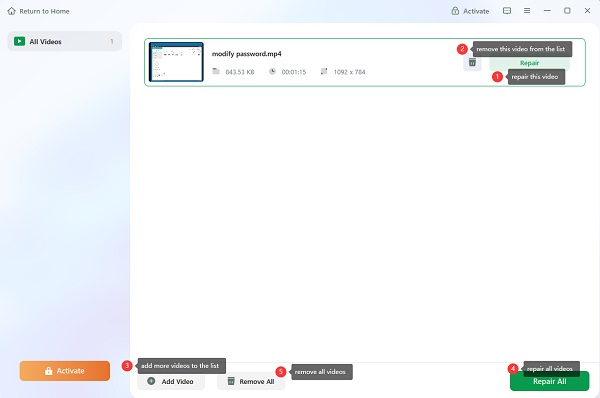
- Batch Repair: Users can add multiple files (videos, photos, documents) and perform repairs in batch mode (multiple files at once).
- Preview Before Save: After the repair is done, you can preview the repaired file to confirm success before saving it to the destination.
- Drag & Drop / Simple Workflow: The user interface emphasizes ease-of-use: drag and drop files, simple 3-step process (Add → Repair → Save) even for non-technical users.
System requirements:
- Operating System: Windows 11, 10, 8, 7, or XP.
- RAM: 4 GB of RAM is the minimum.
- Hard Disk Space: 1 GB of available hard disk space.
- Other: Full administrative rights are required to use the program.
Use-Cases & Ideal Scenarios
- You have a video recorded (e.g., from a camera or phone) that now cannot play (black screen, audio sync issues), and you want to try to repair it rather than re-record/recover.
- You have photos (JPEG/PNG) that are corrupted (cannot open, show gibberish, or are blank), and you want to attempt repair before discarding them.
- You have office documents (Word, Excel, PPT, PDF) that suddenly open incorrectly or appear blank/errors, and you need to try to salvage them.
- Users/SMBs with archived media/documents that unexpectedly became corrupted due to storage/media issues, and want a tool for remediation.
Password For File ” 123 “