Download Explzh 9.90 is a Windows-based archive manager developed by Pon Software. Its primary purpose is to let users create, extract, view, convert, and manage archive files (e.g., ZIP, RAR, 7z, ISO).
Explzh 9.90 Description
with a fairly advanced set of tools and capabilities. According to reviews, it supports a broad range of formats and is free for personal use. Explzh 9 stands out as a robust and flexible file-compression/archiving tool for Windows. It offers a wide range of features that meet both basic and advanced needs.
If you frequently deal with many archive types, large files, or need encryption/splitting, this is a strong contender. For more casual users, it might offer more than necessary, but the fact that it is freeware (for personal use) means there’s little downside to trying it out.
Combining unparalleled format support, preview capability without extraction, and full integration with the operating system environment (Mac/Windows), Explzh has become one of the most complete archive management solutions. Explzh Free Download not only meets the needs of ordinary users, but also provides advanced features to meet the needs of the most professional users.
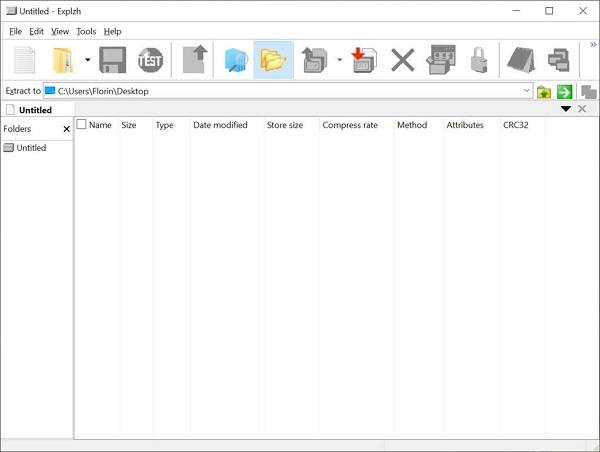
Features Of Explzh 9.90
- Very wide archive format support: ZIP, ZIPX, 7z, RAR, TAR, ARJ, LZH, CAB, WIM, ISO, IMG, MSI, self-extracting (SFX) archives, and more.
- Explorer-style interface and integration: The UI is reminiscent of Windows Explorer, making it easier for users to navigate directories, select files, and drag & drop.
- Archive creation + extraction + conversion: You can create archives, extract them, convert between formats, and manage archive contents within the program.
- Advanced features for power users:
- AES encryption of archives.
- Creation of self-extracting archives.
- File split/merge functionality (e.g., splitting large archives into pieces, then reassembling).
- Unicode file name support and large file (> 4 GB) support.
- Archive internal search, image thumbnail previews inside archives, and FTP upload capability.
- Freeware for personal use: The latest versions are free for personal/non-commercial use, although licensing conditions might apply for business use.
Who Is It Best Suited For?
- Users on Windows (Windows 7/8/10/11) who frequently work with compressed archives, especially varied formats (ZIP, 7z, RAR, ISO, etc).
- Users who need more advanced archive management: encryption, splitting/merging, and self-extracting archives.
- Semi-professional users or power users who want a flexible archiver rather than just an “open ZIP” tool.
- Less ideal for: users who only occasionally extract archives and prefer ultra-minimal tools; or users on macOS/Linux (this tool is Windows-centric).
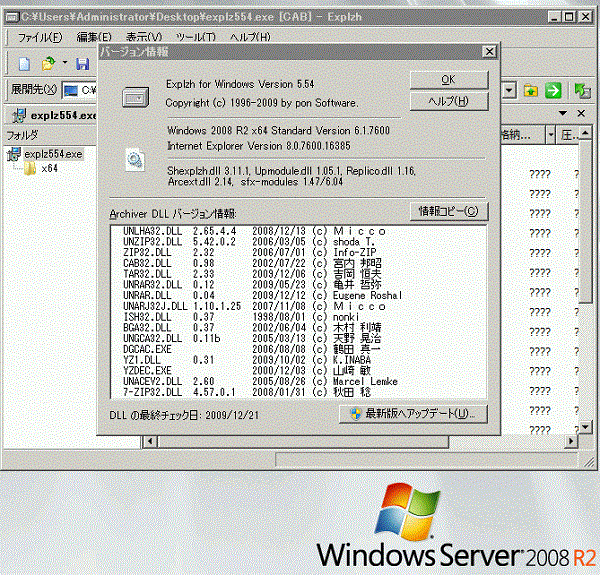
Password For File ” 123 “