Far Manager 3.0 Portable is an advanced, keyboard-oriented console file manager for Windows (and other platforms via ports) that follows the “orthodox file manager” paradigm (like Norton Commander).
Far Manager 3.0 Portable Description
It is highly customizable, extensible via plugins and macros, and designed for users who prefer powerful, efficient file manipulation in a text-based interface. Far Manager is a file management program for Windows operating systems that operates in text mode, offering a simple and intuitive user interface for performing most file-related tasks. Viewing files and directories, editing, copying, renaming files, etc., are some of the functions that you can do with the help of Far Manager 2025.
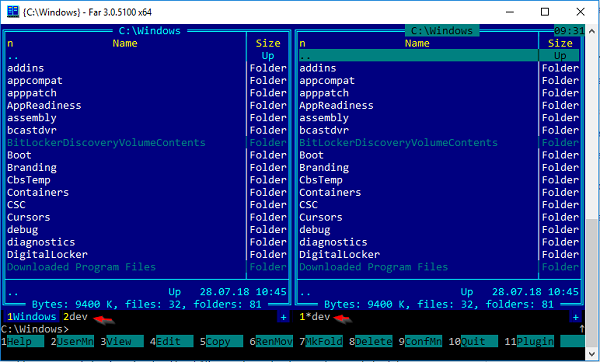
Features For Far Manager 3.0 Portable
-
Dual-Pane Interface
Far Manager uses two file panels side-by-side, allowing easy navigation, copy, move, and comparison of files and directories. -
Unicode Support & 64-bit Builds
Version 3 provides full Unicode support and has 32-bit and 64-bit builds. -
File Viewing & Editing
Built-in viewer and editor allow viewing large files (including > 4 GiB) efficiently, with support for various codepages. -
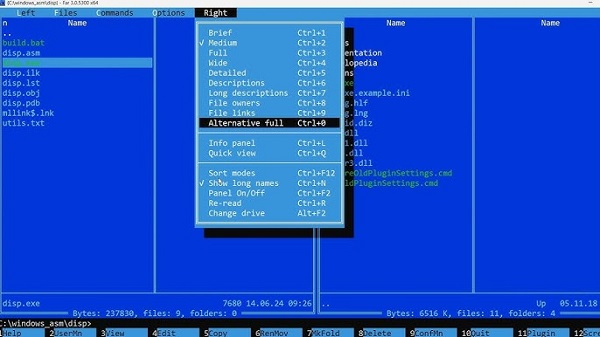
Customizable Panels
You can configure what columns (size, date, owner, description) are shown in each panel, and switch between different panel layouts. -
Folder Tree Panel
Shows directory structure as a tree, making it easier to jump between folders and understand the directory hierarchy. -
Macros & Scripting
Far supports macro recording and scripting (in newer versions, macros use Lua), so you can automate repetitive tasks. -
Plugin System
Highly extensible via plugins: you can add features like archive support, FTP, network browsing, syntax highlighting, and more. -
Information Panel
Shows useful system info (disk usage, memory usage, drive details) in a customizable way. -
File Actions & Sorting
File operations (copy/move/delete/etc) are fast and keyboard-driven; supports different sorting modes (size, name, date, owner). -
Macro Settings
You can configure when and how macros run (e.g., upon startup, under certain panel types), and describe or edit them.
Download 32 BitDownload 64 Bit
Password for file: “123“