macOS Tahoe 26 Hackintosh Latest 2025 (Olarila) is the newest version of Apple’s desktop operating system, announced at WWDC 2025 and officially released in September 2025.
macOS Tahoe 26 Hackintosh Latest 2025 Description
It brings a refreshed design, performance upgrades, and deeper AI and continuity integration across Mac and iPhone. The name “Tahoe” follows Apple’s tradition of naming macOS releases after California landmarks — in this case, Lake Tahoe, known for its clarity and depth, which reflects the system’s focus on transparency, customization, and clarity in design.
Release & Compatibility
- Apple confirmed that macOS Tahoe 26 will be released on September 15, 2025.
- It’s a free update for Macs that are eligible.
- Eligible Mac models include many Apple Silicon Macs from 2020 onward, and select Intel Macs (e.g., MacBook Pro 2019, Mac mini, iMac, etc.).
Features For macOS Tahoe 26 Hackintosh Latest 2025

1. Liquid Glass Design / Visual Overhaul
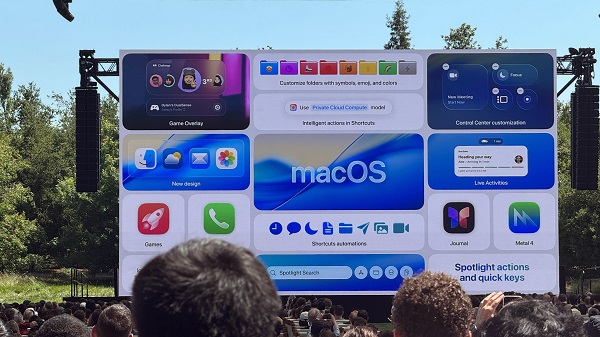
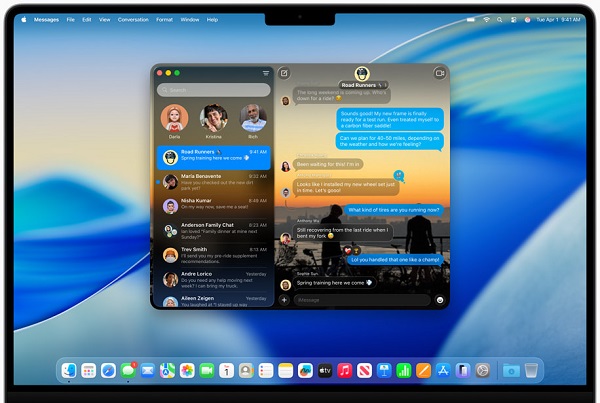
- The user interface is refreshed under the brand “Liquid Glass”, with more transparency, translucency, and subtle reflections for windows, menus, and backgrounds.
- Icon options are now more customizable — tinted icons, clear icons, and folder color customization are introduced.
- The menu bar, Dock, sidebars, and control center also receive visual tweaks to match the new aesthetic.
2. Spotlight Enhancements
- A major upgrade to Spotlight, which now has 4 sections (apps, files, shortcuts, clipboard) for easier navigation.
- Integrated clipboard history support in Spotlight — you can access recent copied items directly.
- Direct action triggers: from Spotlight, you can now perform tasks like sending emails, taking notes, triggering Shortcuts, or even converting files — all without leaving Spotlight.
3. Continuity & The Phone App
- A new Phone app on macOS — through Continuity, you can make and manage iPhone calls from your Mac.
- Live Activities from your iPhone can appear on your Mac (e.g., delivery status, ongoing tasks) via the menu bar.
4. Games App, Graphics & Metal 4
- A built-in Games app is introduced to showcase and launch games (like Mac’s version of a game library).
- For developers/gaming, Metal 4 is included, with improvements in frame interpolation, denoising, and graphics performance.
5. Apple Intelligence, Shortcuts & Automation
- Enhanced Shortcuts integration: more AI-powered actions, “in-app shortcuts”, and chaining automations.
- Some features, such as live text translation in messaging / FaceTime or AI assistance in certain apps (depending on device), are expected.
6. Other Notables
- The Launchpad is being replaced (or supplemented) by an Apps shortcut in the Dock, making Spotlight more central for launching apps.
- Interface customizations: you can tint folders, change icon styles, and adjust the transparency of controls.
- Some built-in apps and features get incremental updates (e.g., better integration, smoother transitions, etc.).
Download Part 1Download Part 2
Password for file: “123“