ASCOMP Software has released a new software called PC Internals Pro 2.003 Multilingual, which provides a new solution for Windows users. PC Internals Pro 2025 enables users to comprehensively analyze their system components and monitor their hard drives with high reliability.
PC Internals Pro 2.003 Multilingual Description
The program is designed for both ordinary users and IT professionals and resellers who value transparency, early detection of problems, and security of their data. PC Internals provides very detailed information about key components such as the processor, random access memory (RAM), graphics card, drives, and other system components. Live and dynamic graphs show the current system load, while specific data on temperature, BIOS version, and hardware model facilitate the analysis process.
In fact, PC Internals is a powerful tool for Windows that is used to analyze all the hardware and components of your system. The software provides a comprehensive and detailed view of all the vital parts of the computer, making it an ideal choice for tech enthusiasts, gamers, IT professionals, and anyone who wants to monitor the performance and health of their PC.
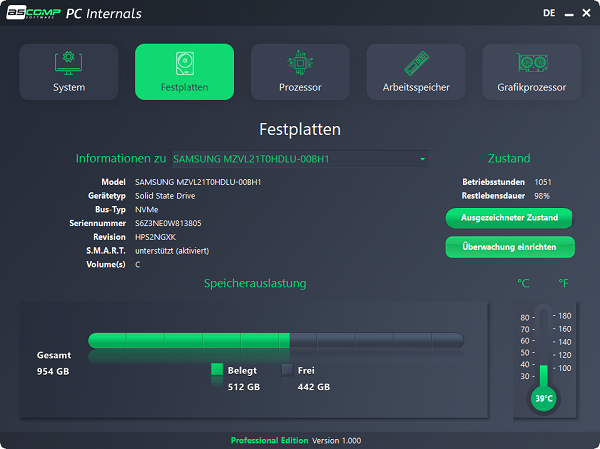
Its internal drive monitoring capability is a particular strength, as it displays SMART data, temperature, and remaining SSD life, helping the user to detect and take action on potential problems before data loss occurs.
Features Of PC Internals Pro 2.003 Multilingual
-
System Component Analysis
-
Displays detailed information about your CPU, RAM, GPU, motherboard, and more.
-
Shows real-time usage/load, driver versions, BIOS, and component models.
-
-
Drive Health Monitoring (SMART)
-
Reads SMART data from HDDs / SSDs: temperature, operating hours, and other health metrics.
-
In the Pro version, you can set thresholds (e.g., for temperature or SSD wear) and receive alerts (via Windows notification or email) when critical values are reached.
-
In version 2.0, it adds data such as total GB read/written and TRIM status for SSDs.
-
-
Enhanced Temperature Monitoring (v2.0)
-
More detailed temperature readings:
-
For CPU: per-core + package temperature.
-
For GPU: core and hotspot temperatures
-
-
Helps identify thermal bottlenecks, which is useful for maintenance or performance tuning.
-
-
Easy-to-Use Interface
-
Clean, organized UI with real-time graphs and component views.
-
Compact tool — doesn’t require a lot of system resources.
-
-
Automatic Monitoring & Alerts (Pro Edition)
-
Set up automated drive health monitoring.
-
Receive notifications (Windows or email) when certain conditions are met (e.g., high temperature, SSD wear).
-
Useful for proactive maintenance and preventing data loss.
-
-
Version 2.0 Updates
-
Stronger temperature detail, as noted.
-
More disk-related stats (read/write, TRIM) to measure SSD health.
-
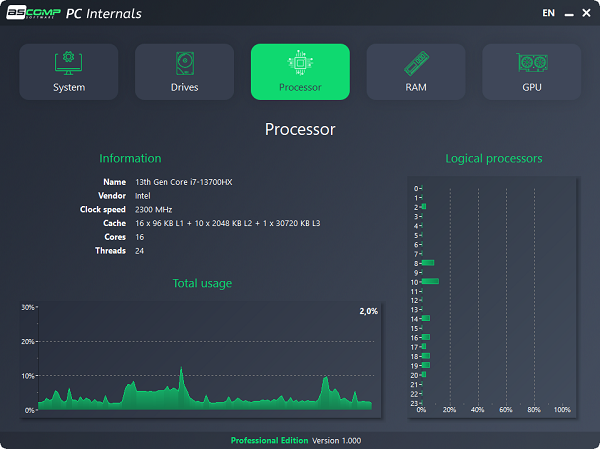
Better insights into CPU (instruction set extensions, core load).
-
-
Licensing / Editions
-
Free / Standard Edition: For personal use, gives full system info + basic monitoring.
-
Professional Edition: Costs 24.90 USD (around that) and unlocks the alerting and full drive-monitoring capabilities.
-
24 months of free updates and support for registered users.
-
Password for file: “123“