Windows Video Editor Pro 2025 (also called “Windows Video Editor 2025” or “Win Video Editor 2025”) is a multimedia software suite for video editing and movie creation on Windows.
Windows Video Editor Pro 2025 Description
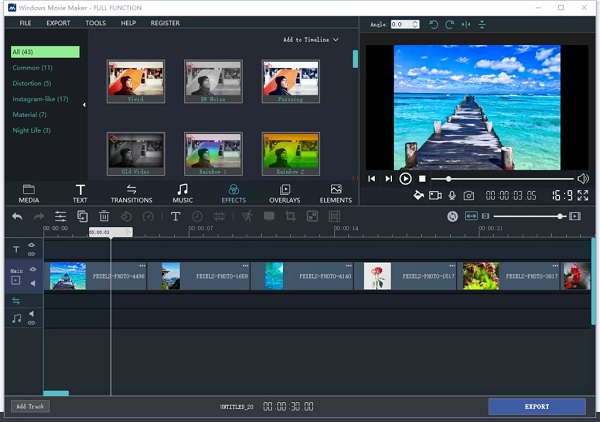
It aims to provide a unified toolkit, combining video editing, movie making, and various media utilities under one application. This suite goes beyond basic editing and provides the ability to add creative elements such as visual effects, texts, animations, watermarks, subtitles, and background music. It also allows you to fine-tune the visual characteristics of videos, including playback speed, brightness, contrast, and saturation.
One of the important features is the Batch Editing feature, which facilitates work for large projects or large file sizes and quickly performs almost any type of editing operation required. Windows Video Editor Pro has been fully tested and verified for various versions of Windows, including Windows 11, 10, 8, and 7.
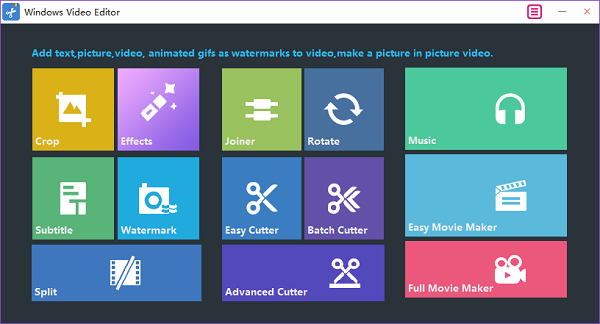
Features of Windows Video Editor Pro 2025
| Feature | Description |
|---|---|
| Basic editing tools | Cut, trim, split, merge, crop, rotate, and join video clips. |
| Effects & filters | Add video effects, transitions, animation, and visual filters. |
| Text, watermarks, subtitles | Overlay text, apply watermarks, and include subtitles on videos. |
| Audio & music support | Add background music, adjust audio levels, and possibly extract or replace audio tracks. |
| Color & visual adjustment | Adjust brightness, contrast, saturation, speed, etc., |
| Batch editing | Process multiple videos at once (batch mode) for operations like conversion or applying effects. |
| Picture-in-picture / overlay | Ability to overlay one video/image over another (PIP) in projects. |
| Movie creation/slideshow mode | Combining images, video clips, and music into a “movie” or slideshow format. |
System requirements:
| Component | Minimum Required |
|---|---|
| Operating System | Windows XP / Vista / 7 / 8 / 10 (some sources mention compatibility up to Windows 11). |
| Processor | 1 GHz Intel or AMD processor or higher. |
| RAM | 256 MB (512 MB or more recommended). |
| Free Hard Disk | About 300 MB for installation. |
| Graphics | Super VGA (800×600) resolution, 16-bit graphics card or above. |
Weaknesses & Limitations:
- The minimal system specs indicate that complex/high-resolution tasks may be slow or cause performance issues.
- The product descriptions often highlight basic features; it’s unlikely to match advanced editors (like Premiere Pro, DaVinci Resolve) in terms of professional tools (advanced color grading, node-based effects, motion tracking, etc.).
- Some features (batch processing, PIP, overlay) might work, but with limitations compared to pro software.
- The software may have stability or compatibility issues with very new video formats or codecs if not regularly updated.
Password For File ” 123 “